DEVCLASS AD
Microsoft has made Azure Artifact Signing (AAS) generally available in the USA, Canada and Europe. The service, which was previewed as Trusted Signing, enables Windows developers to deploy applications without them being blocked or interrupted by pop-up warnings.
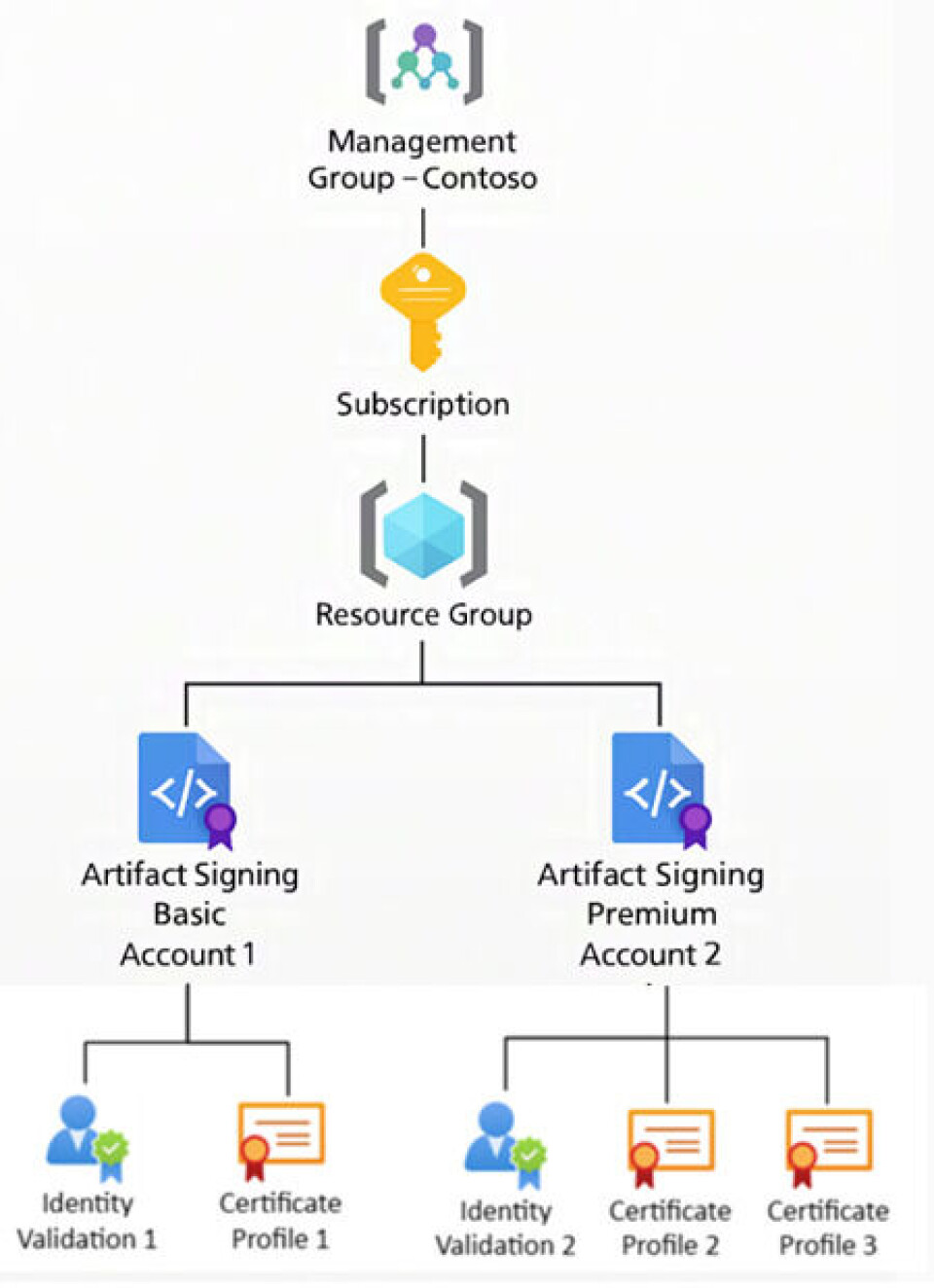
The new service uses certificates that are renewed daily and valid for only 24 hours. When code is signed, it is securely time-stamped so that the application remains signed after the certificate itself has expired, unless the certificate is revoked. The service costs $9.99 per month for up to 5,000 signatures with one certificate profile, or $99.99 per month for up to 100,000 signatures with 10 certificate profiles.
DEVCLASS AD
Microsoft said this week the service is now generally available – but only for organizations or individuals in the USA and Canada, or for organizations in the EU or UK. For organizations, certificates must use the “legal entity’s validated name”, such as that listed at the UK’s Companies House. There is a hint that “new region availability” is on the way as the service evolves.
Applications can be signed via AAS using a number of different tools, including the signtool command-line utility that is part of the Windows SDK (software development kit). Specifically supported workflows include GitHub Actions, Azure DevOps tasks, PowerShell, and a dedicated Artifact Signing SDK.
These certificates are not Extended Validation (EV) and the FAQ states that “there is no plan to issue EV certificates.” EV certificates from third parties are priced at a premium and intended to convey greater reassurance, via more extensive identity checks.
DEVCLASS AD
The certificates issued by AAS will work on versions of Windows back to Windows 7.0 SP1, provided that a required Microsoft root certificate authority is installed. This should be automatic for computers with internet access.
Traditionally, Windows applications were signed via a code-signing certificate obtained from a third-party. The certificate provider verified the identity of the developer, who would then download the certificate and use it to sign applications, typically with signtool. It is near-essential for deployment. Although it is possible to run an unsigned application on Windows, doing so means approving warnings regarding the risks of executables from unknown publishers. In an enterprise environment, admins can configure policies to prevent unsigned applications from running.
The old approach, where long-lived certificates were installed on a developer PC, was vulnerable to theft and misuse, and the industry has tightened the requirements. The latest can be found at the Certificate Authority Browser Forum (CABF) and include storage of the certificate in a Hardware Crypto Module (HCM), for example a secure USB device, in place since June 1 2023. Newer requirements include not supporting the SHA-1 algorithm, and from March 1 2026, a maximum validity of 460 days. This has increased the cost of third-party certificates, especially when a USB device is included. Signing with USB devices is also impractical for cloud-based workflows. AAS exceeds the validity requirement, with a lifetime of just one day.
Managing code signing certificates is a burden for developers. AAS is relatively inexpensive; the documentation for Electron, a popular cross-platform framework, states that it is “the cheapest option for code signing on Windows.” Code signing for a Mac requires a separate certificate and process managed by Apple, at further cost.
AAS looks like a welcome new service, though along with the regional limitations there are plenty of things that can go wrong. The FAQ is worth reading carefully. Among other things, it notes how critical it is to have the correct documents and to respond to validation emails.